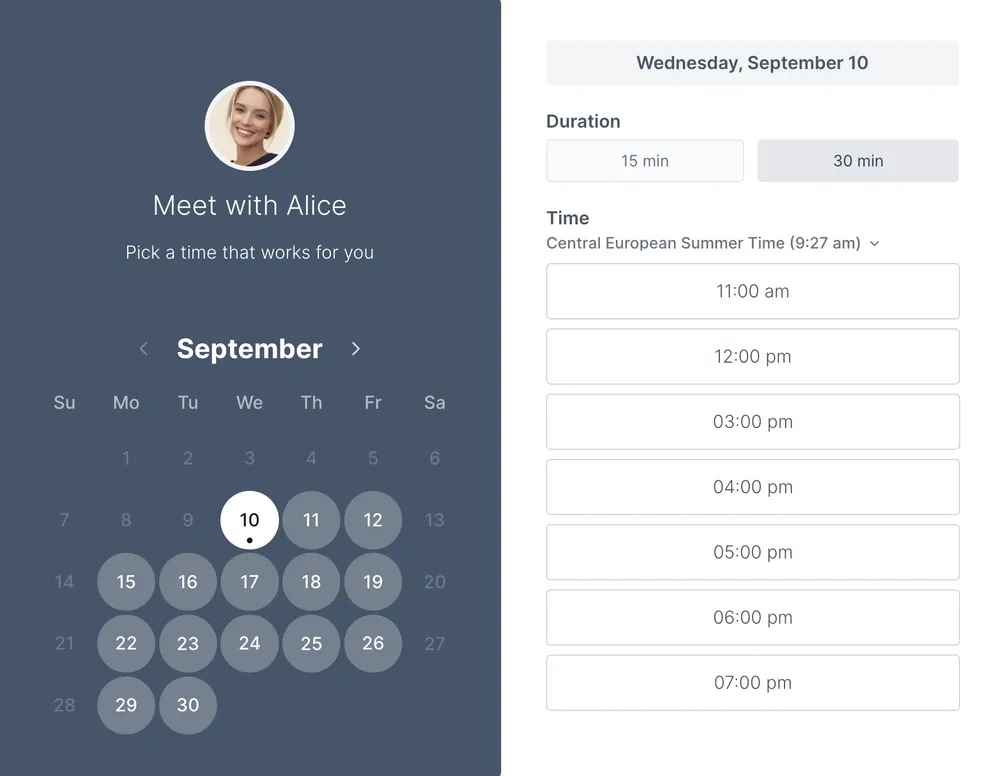

Modern repair shops need more than a paper calendar and a busy front desk. The right automotive scheduling software helps you stay organized, fill bays more consistently, and make booking easier for customers. That’s why more shops are comparing automotive appointment scheduling software before they worry about any single operational problem.
And yes, reducing no-shows is still a big win. Across industries, research by Booksy shows that between 10 and 15 percent of appointments simply don’t happen. For a garage, that translates into lost revenue, idle staff, and wasted time. When customers can book online, get reminders automatically, and choose the right service up front, missed appointments become much less common.
Why your shop needs automotive scheduling software
Running an auto shop is a constant balancing act. You’re coordinating technicians, bays, parts, customer expectations, and a steady flow of incoming jobs. When booking is handled manually, even small mistakes can create bigger problems across the day.
That’s where automotive scheduling software makes a real difference. Instead of relying on phone calls, handwritten notes, or spreadsheets, your team gets one place to manage availability, service types, and customer bookings. Customers get a faster way to book. Staff spend less time chasing calls. Managers get a clearer view of the day ahead.
For busy shops, the value goes beyond convenience. The best systems help you:
- accept bookings 24/7
- reduce scheduling errors
- avoid double-bookings
- send reminders automatically
- collect service details before the visit
- keep bays and technicians better utilized
No-shows are still part of the conversation, but they’re no longer the whole story. Choosing the right automotive scheduling software is really about building a smoother shop operation from the start.

Features to look for in no-show reduction software for automotive service centers
Not every scheduling tool is built for the demands of a busy auto shop. The right software should feel less like another system to manage and more like an extra set of hands keeping your calendar under control. Here’s what to look for when choosing a solution that actually reduces no-shows.
Automated reminders that work
One of the essential features of any booking software should be the ability to set up reminders for customer appointments. Being able to set custom timing combinations that work for your garage, like an SMS 2-3 days in advance or a few hours before, is crucial. In fact, a survey by Customer AI revealed that sending an SMS reminder can reduce missed appointments by 26%.
Picture this: A customer books a brake inspection two weeks out. Without reminders, they might forget. With automated alerts, they’re on time, and your bay stays busy.
Easy integrations with your tools
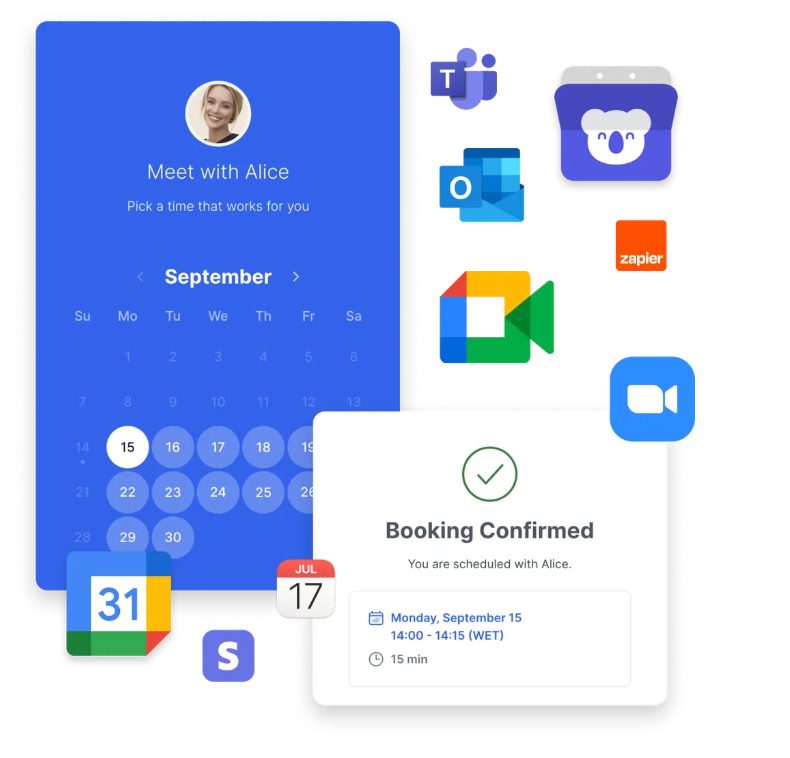
Your shop already runs on calendars, CRMs, and sometimes payment tools. Scheduling software should connect seamlessly with Google Calendar, Outlook, iCloud, Zoom, and even your website. That way, everything stays in sync without extra work.
Example: A booking made on your website instantly appears in your technician’s Outlook calendar. No double entry, no mistakes.
A simple experience for customers
If the system is clunky, customers will pick up the phone, putting you back where you started. The booking process should be so easy that even a first-time customer can schedule an appointment in seconds.
What to avoid: Don’t make customers create an account just to book an appointment, and don’t overwhelm them with too many steps or forms. Every extra click increases the chance they’ll abandon the process.
Flexible booking options
Oil changes don’t take as long as engine diagnostics. Good scheduling software lets you set custom appointment durations, so each job gets the right slot.
Multiple booking pages
In a shop with several technicians or service bays, you may want different booking links. Choose software that allows unlimited booking pages so each tech or service can have their own calendar.
Built-in reporting
To really see the impact, you’ll need insights. Reporting tools let you track booking patterns, measure customer behavior, and watch your no-show rate shrink over time.
Custom intake questions
The right prescreening questions make sure customers get booked with the right technician the first time. For example: “Are you booking a routine service or a repair?” This saves time for your staff and reduces scheduling errors.
Examples of useful intake questions for an auto repair shop:
- What service do you need today? (Oil change, brake check, tire rotation, engine diagnostics, other)
- What make, model, and year is your vehicle?
- Are you dropping off the vehicle or waiting at the shop?
- Do you need a loaner car while we service your vehicle?
- When was your last maintenance check?
Payment collection
When customers pay upfront, they’re far less likely to miss their appointment. Look for scheduling tools that support cards, Apple Pay, Google Pay, and bank transfers.
Automatic technician assignment
Instead of manually checking who’s available, smart software can auto-assign the booking to a free technician. That means no empty bays and no overworked staff.
A free forever plan
Most tools hide the good stuff behind paywalls or cap the number of bookings. Koalendar offers unlimited appointments and booking pages on its free plan — making it perfect for independent shops and growing dealerships alike.
Seems like a lot of? Koalendar, the preferred scheduling software by automotive businesses, offers all these features and more. Explore them in our free vs pro feature comparison.
Best automotive appointment scheduling software options
If you’re comparing tools, these five names come up often: Tekmetric, AutoOps, EZauto Scheduler, Calendly, and Koalendar. Each takes a slightly different approach, so the best choice depends on whether you want a broader shop management system, a dedicated auto-shop scheduler, or a flexible general scheduling tool.
 |  | Tekmetric | AutoOps | EZauto Scheduler | |
| Best For | Shops that want flexible scheduling with a generous free starting point | Teams that want a widely used general scheduling tool | Shops that want scheduling inside a broader shop management platform | Auto repair shops focused on online scheduling and customization | Automotive businesses that want appointment automation and reminders |
| Key Features | Personalized booking pages, calendar sync, reminders, payments, simple scheduling link, and a free plan with unlimited bookings and scheduling pages. | Real-time availability, automated reminders, and simple scheduling links. | Online scheduling tied to an automotive shop calendar and the wider repair-shop workflow. | Real-time scheduling, deep customization, and integration with shop systems and web presence. | 24/7 booking, reminders, workflow support, and industry-specific scheduling pages. |
| Price | Free Forever, Pro Plan $6.99/seat/month | Free Plan/ $10/seat/month | Starts at $179/month | Available on request | Starts at $67.96/month |
Koalendar
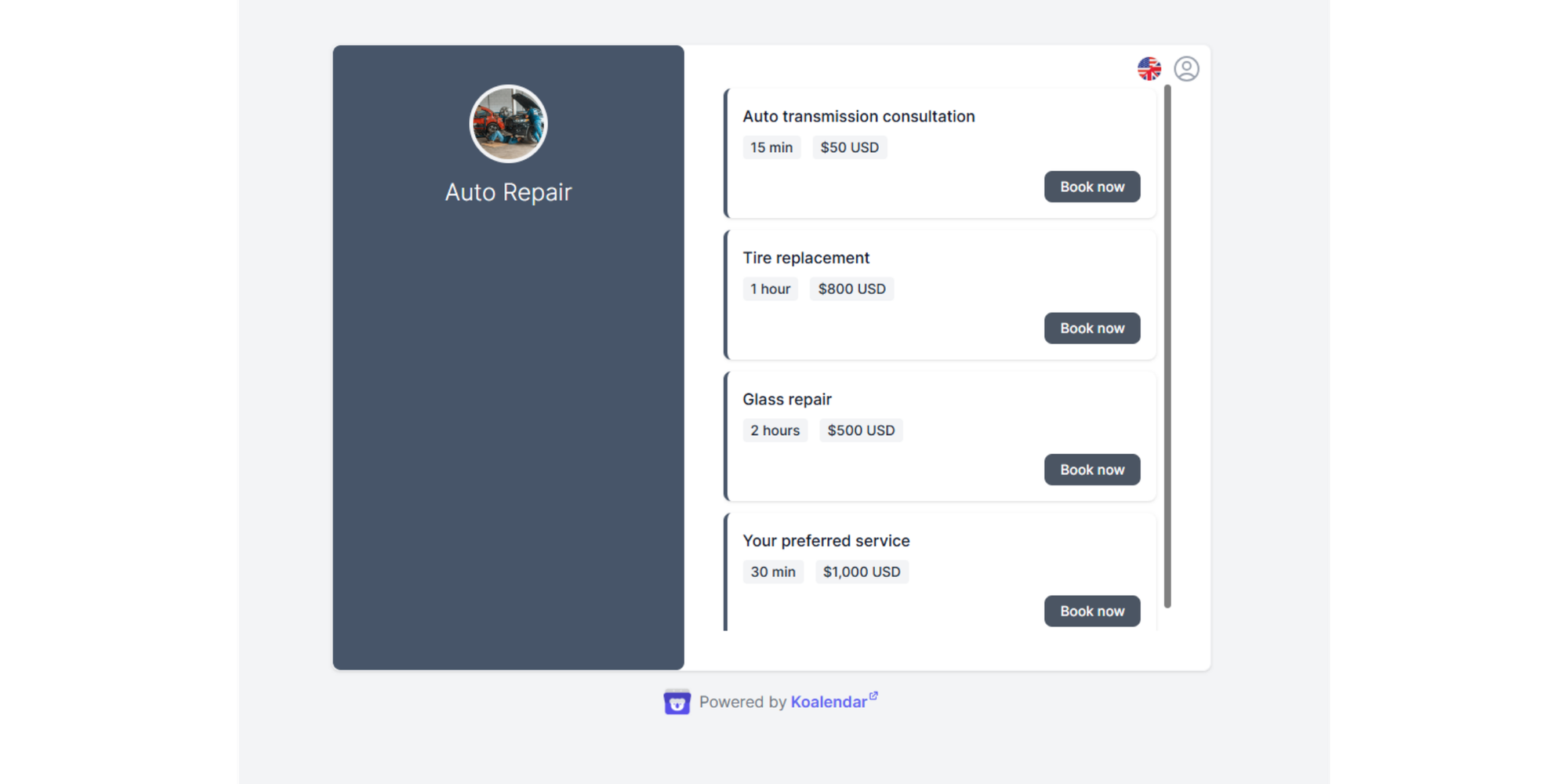
Koalendar is a flexible scheduling platform that works especially well for businesses that want to get started quickly without heavy limits on the free plan. For independent shops or smaller teams, that makes it a strong low-friction option.
Key features
- Free forever plan with unlimited bookings
- Unlimited scheduling pages and event types on free
- Calendar sync with Google, Outlook, and iCloud
- Embeds, video conferencing, multilingual booking pages
- Reminders, payments, branding, and team features are available under a very affordable paid plan
Limitations
- Not built only for automotive businesses, so it does not position itself as a full auto-shop operations platform
- Shops with complex repair workflow tracking may need a more automotive-specific system
Price
- Free forever plan available
- Pro is $6.99/seat/month with annual billing ($9.99/seat/month if billed monthly)
Calendly
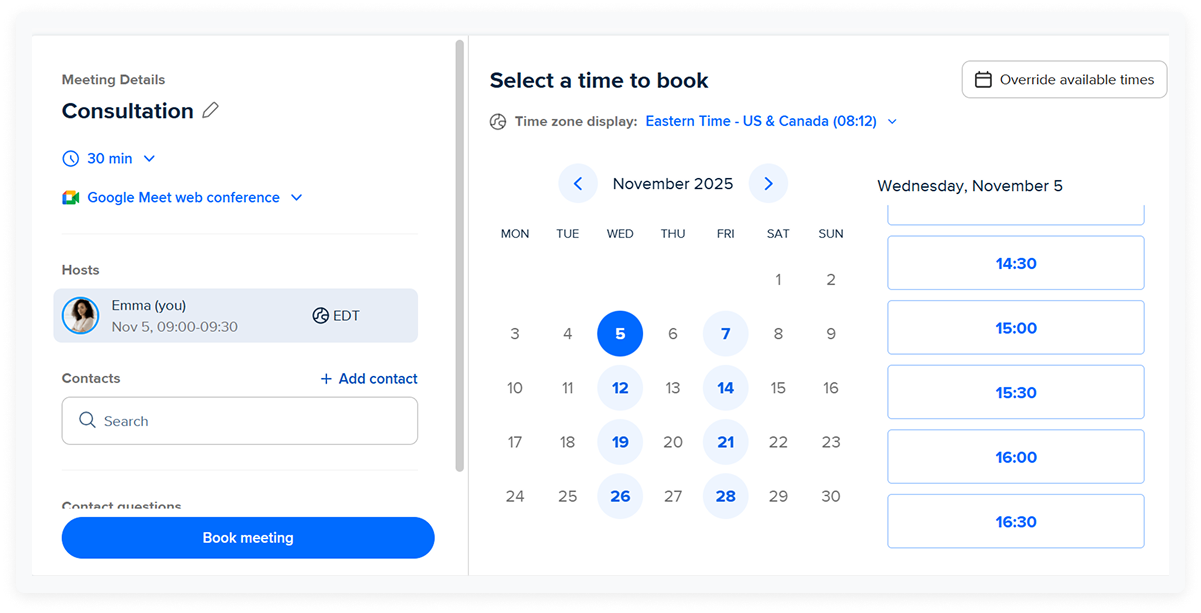
Calendly is the best-known general scheduling platform in the group. It is not built specifically for repair shops, but it does offer automated scheduling, reminders, integrations, and shareable links.
Key features
- Simple booking links and booking pages
- Limited free plan available
- Calendar integrations, video conferencing, Stripe and PayPal connections
- Automated reminders on paid plans
- Team and round-robin scheduling on higher tiers
Limitations
- Not purpose-built for automotive shops
- Free plan is quite limited: 1 event type and 1 connected calendar
- Automotive-specific intake, bay logic, and service workflow tools are not its core strength
Price
- Free: always free
- Standard: $10/seat/month billed yearly
- Teams: $16/seat/month billed yearly
- Enterprise: starts at $15,000/year
Tekmetric
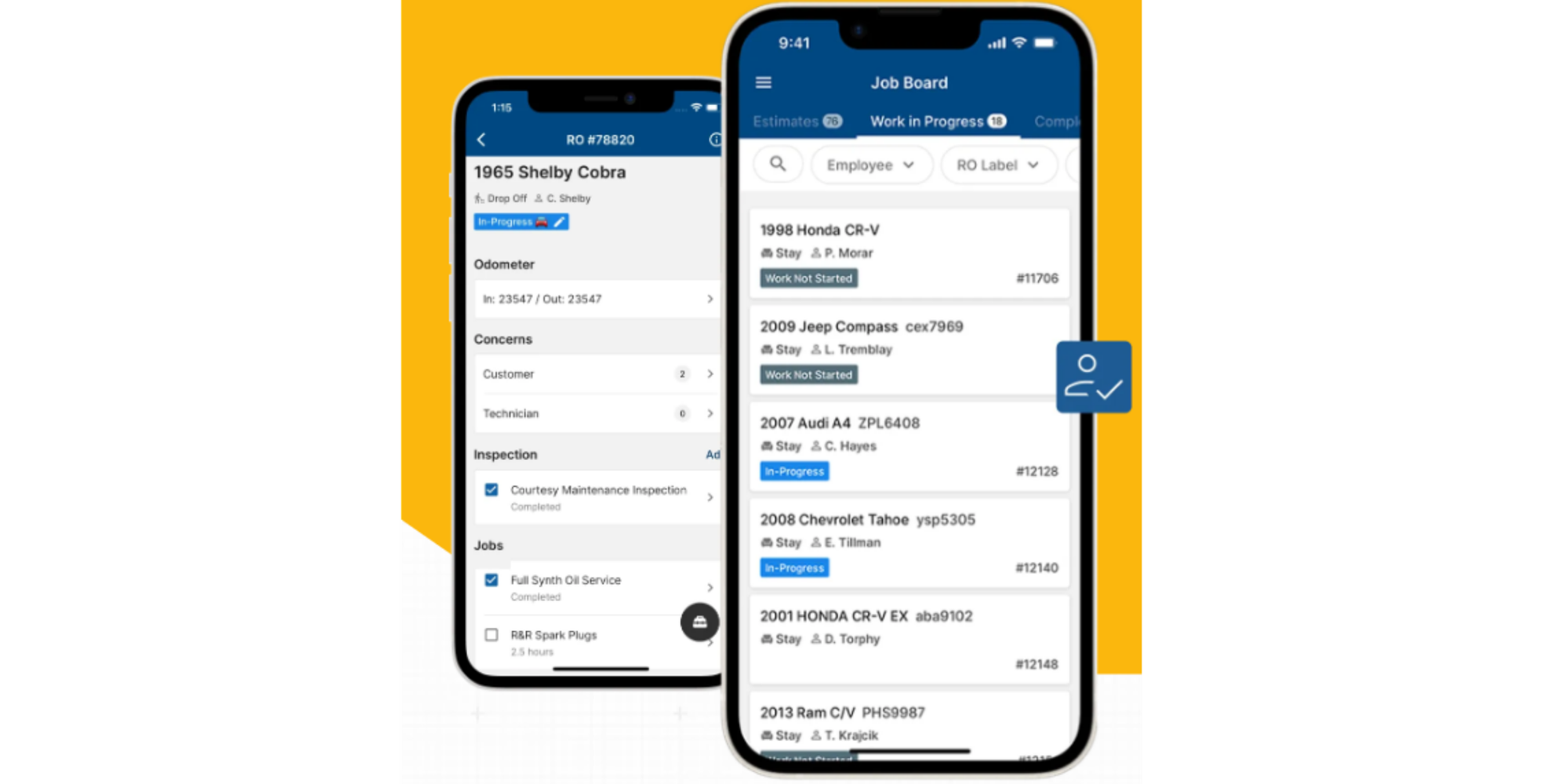
Tekmetric is best for repair shops that want scheduling inside a full shop management platform rather than as a standalone booking tool.
Key features
- Online booking built into a larger automotive shop management platform
- Inventory, estimates, reporting, payments, and digital vehicle inspections
- Unlimited users and unlimited repair orders
- Integrated texting and customer communication tools
Limitations
- More platform than pure scheduler, so it may feel heavier than necessary for shops that only want booking software
- Best fit for businesses ready to adopt a full shop system, not just add a booking page
- No free trial listed, only demos and self-guided tours
Price
- Start: $199/month monthly, or $179/month billed annually
- Grow: $349/month monthly, or $309/month billed annually
- Scale: $439/month monthly, or $409/month billed annually
- Enterprise: custom pricing
AutoOps
AutoOps is built specifically for auto shops and leans hard into customizable online scheduling. It is a good fit for shops that want a specialized online scheduling layer rather than a full shop ERP-style platform.

Key features
- Real-time online scheduling for auto shops
- Booking from website, Google Search, and Google Maps via Google Business Profile
- Customer recognition and vehicle-aware booking flow
- Upsell options for previously declined services
- Integrations with major shop management systems
Limitations
- There's no official public pricing so not very transparent
- Extra functionality such as AutoOps Pro is priced as an add-on
- Shops may need a demo conversation to understand full total cost
Price
- Intro offer: first month for $99
- Quotes available on request
EZauto Scheduler
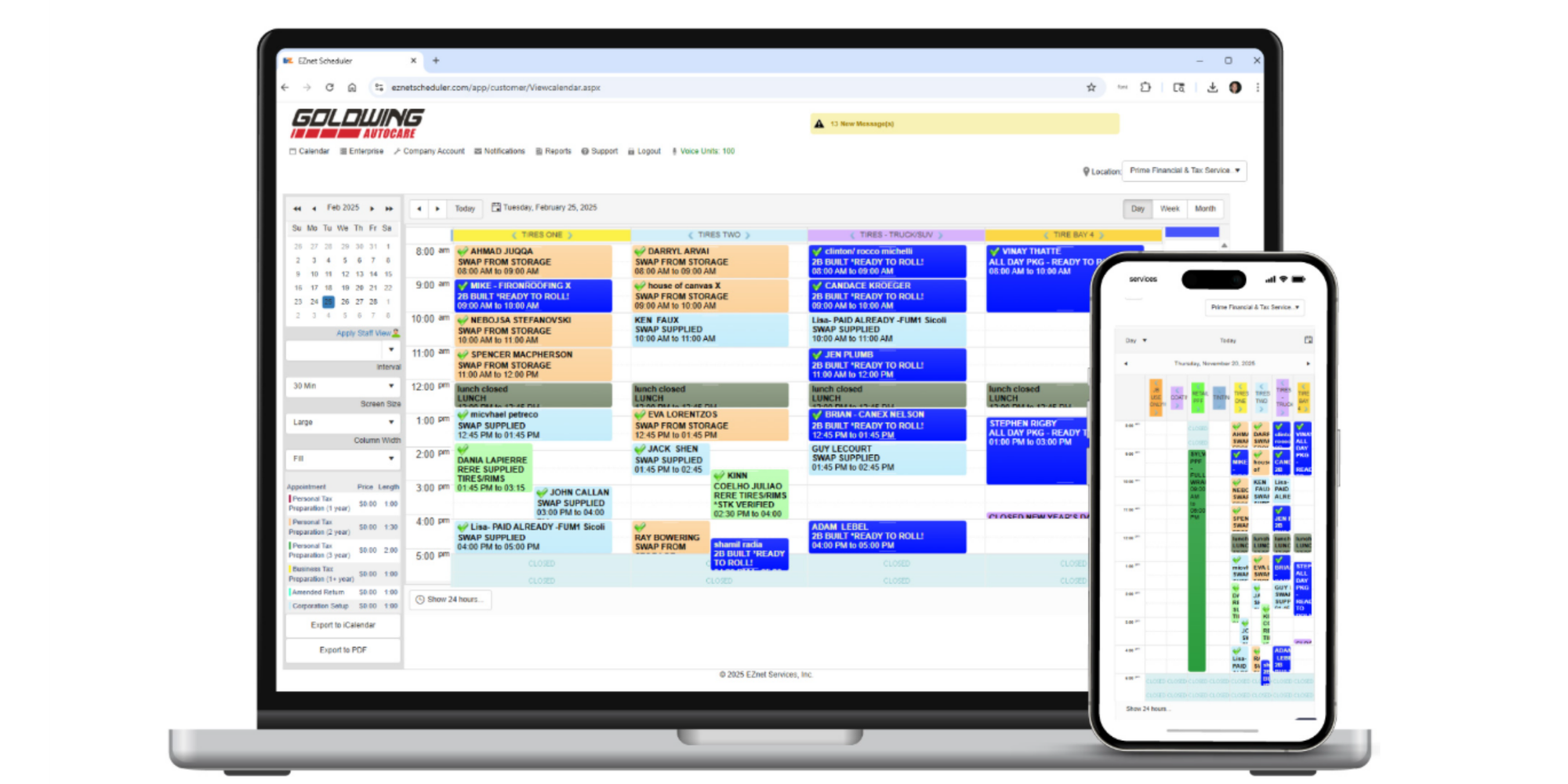
EZauto Scheduler is a more automotive-focused scheduling platform that combines booking with workflow visibility. Appealing for shops that want more operational structure than a simple calendar.
Key features
- 24/7 appointment scheduling with automotive-specific workflows
- Visual job and workflow tracking
- Automated email, text, and phone reminders
- Task and project management tools
- Live U.S.-based support, setup help, and training included
- Plans with user, resource, and staff/location limits for growing teams
Limitations
- More structured and feature-rich than lightweight schedulers, so setup may take longer
- Pricing scales by users/resources/locations, which smaller shops should compare carefully
- Some messaging at higher volume may involve usage-based fees
Price
- Turbo: $67.96/month
- Turbo Max: $75.96/month
- Enterprise: custom pricing
Which option is right for your shop?
A good rule of thumb:
- Choose Tekmetric if you want scheduling inside a broader shop management platform.
- Choose AutoOps if you want an auto-shop-focused booking tool with strong customization.
- Choose EZauto Scheduler if reminders and industry-specific appointment workflows are your priority.
- Choose Calendly if you want a simple, familiar scheduling tool for more general use.
- Choose Koalendar if you want flexible automotive scheduling software with an easy setup and a strong free starting point.
6 benefits of automated appointment scheduling for service managers
As a center manager, a day spent juggling customer enquiries, reporting, and supervising technicians can leave you wondering where the time went. With such a busy schedule, the headache of dealing with no-shows on top of this feels like a huge waste of your time.
The good news is that by switching from manual to automated appointment scheduling, it actually saves you admin time and improves efficiency for your garage too.
Improved customer experience
When customers can book online at any time, they don’t have to wait on hold or call during business hours. The process feels seamless, which builds loyalty.
Example: A customer remembers they need an oil change at 10 p.m. Instead of waiting until morning to call, they go online, pick a time, and instantly receive a confirmation. They arrive feeling confident their slot is secure.
24/7 availability
Your shop closes at night, but your schedule doesn’t. Automated booking pages stay open 24/7, so customers can make appointments at the exact moment it’s convenient for them.
Example: A parent remembers their brakes are squeaking while driving kids to soccer practice on Saturday. They quickly book an appointment online for Monday morning, even though your shop is closed over the weekend. You start Monday with a job lined up instead of a missed opportunity.
No double-bookings
With manual systems, it’s easy to accidentally assign two customers to the same slot. Intelligent scheduling prevents this by updating availability in real time.
Example: Without software, two staff members could write down a 10 a.m. appointment for different customers. With automated scheduling, once a customer books 10 a.m., it’s instantly blocked out, so no one else can take it. The result is smooth operations with no awkward rescheduling calls.
More productive staff
Instead of answering phones, juggling calendars, or scribbling notes, staff can focus on what matters most: helping customers in person and keeping technicians busy.
Example: In a shop without automation, one employee might spend three hours a day fielding calls and updating an Excel spreadsheet. With scheduling software, that time goes back to greeting walk-ins, checking vehicles, or handling upsell opportunities — all of which drive revenue instead of draining time.
Smooth technician coordination
With a digital calendar, managers can see exactly which technician is available and match jobs based on skills. This keeps bays full and work flowing smoothly.
Example: A customer books an air conditioning repair. Instead of flipping through papers or guessing, the system automatically assigns it to the technician certified in HVAC systems, ensuring faster, more accurate service.
Fewer no-shows
Automated reminders by email or SMS keep customers from forgetting their appointment. This reduces no-show rates dramatically, keeping your service bays full.
Example: A customer books an oil change two weeks in advance. Without reminders, they might forget. With scheduling software, they receive an email confirmation when they book, a text reminder two days before, and one more an hour before the appointment. Result: they show up on time, and your technician doesn’t lose an hour of work.
| Manual scheduling | Automated scheduling | |
| Human errors | Handwritten notes or Excel entries lead to wrong dates, forgotten jobs, and double-bookings | A centralized system updates in real time so every technician and bay is always booked correctly |
| Customer access | Customers can only book by phone during business hours, leading to missed calls and lost jobs | Customers book online 24/7, even after hours or on weekends, filling your calendar while you sleep |
| No-shows | Without reminders, customers forget, leaving technicians idle and bays empty | Automated SMS and email reminders keep customers accountable and cut down missed appointments |
| Staff productivity | Team wastes hours on phone calls and data entry instead of focusing on service | Staff spend time where it matters — greeting customers, upselling services, and managing technicians |
| Technician coordination | Hard to see who’s free, causing scheduling gaps or overloads | Managers can instantly assign the right job to the right technician, keeping bays busy and work flowing |
| Customer experience | Customers get frustrated with long holds or unclear scheduling | Customers enjoy a quick, seamless booking experience that makes them more likely to return |
In other words, automotive appointment scheduling software is not just about filling slots. It’s about creating a booking experience that supports the rest of your operation.
Tips for transitioning from manual to automated scheduling
Shifting from phone calls and Excel to an intelligent scheduling tool doesn’t have to disrupt your shop. With the right approach, you can get your staff and customers on board quickly and start seeing fewer no-shows within weeks.
1. Get your team on board early
Explain how automation benefits them — less time spent on calls, fewer angry customers, and more focus on delivering quality service. Involve them in testing the system so they feel part of the process, not forced into it.
Example: Let technicians see how reminders reduce gaps in their day. When they realize fewer no-shows means steadier work, they’ll welcome the change.
Avoid: Rolling out new software without explaining the “why.” Staff may see it as extra work instead of a time saver.
2. Test the system like a customer
Before launch, make a mock booking as if you were a customer. Check that confirmation emails go out, reminders are on time, and appointments appear correctly in your calendar.
Example: Book a “tire rotation” appointment through your new system and confirm it syncs with your technician’s Google Calendar.
Avoid: Assuming everything works right out of the box. Minor errors at the start can frustrate customers and reduce trust.
3. Introduce customers gradually
Don’t cut the phone line overnight. Keep it open, but start nudging customers toward the new booking option. Add the link to receipts, emails, and even signage in the waiting room.
Example: When a customer calls to book, staff can say, “Next time, you can save a call by booking directly online: it’s quick and available 24/7.”
Avoid: Forcing customers to switch immediately. Some will need time to adapt.
4. Track your no-show rate
Measure before and after implementing scheduling software. Share the improvement with your team so they see the results of the switch.
Example: If your shop had 12% no-shows last month, but drops to 6% after automated reminders, that’s proof the system is paying off.
Avoid: Skipping measurement. Without data, it’s harder to prove the return on investment.
5. Promote the convenience
Highlight the benefits to customers: no hold times, instant confirmations, and the ability to book outside of business hours. Framing it as a convenience for them makes adoption faster.
Example: Add a call-to-action on your website that says, “Book your next service online in less than a minute — anytime, anywhere.”
Avoid: Talking only about how it helps the shop. Customers care more about their own experience.
How to set up your first booking page in 60 seconds with Koalendar
Step-by-step setup
- Log into your Koalendar dashboard
Find the button that says “+ New Booking Page.” - Give the page a clear title, for example: “Tire Rotations / Tire Rotation Booking”.
This makes it obvious to customers what service they’re booking. - Set your availability
Define which days and times your shop accepts tire rotation appointments. Example: Mondays to Fridays from 8am-5pm. - Pick or set the duration for the service.
Maybe it takes 30 minutes for a tire rotation, so set that as the default. If you want, allow additional durations (for example, if there are extra services like wheel alignment or inspection). - Turn on calendar sync (Google, Outlook, or other).
This ensures you don’t end up double-booking a bay or technician. - Add custom intake questions (optional but helpful).
You could ask: “What vehicle make and model?” or “Any special issues — vibration, wear, or balancing needed?” These help assign the correct technician and prepare ahead. - Enable reminders and confirmations.
Set up at least an email confirmation immediately after booking, plus an SMS or email reminder one day before (or a few hours before) the appointment. Helps reduce no-shows. - Review settings.
Double-check times, title, duration, intake questions, reminders. Preview the booking page to see how it will look to your customers. - Publish your booking page.
Once everything looks right, hit publish. Copy the page link or embed it on your website or share it with your customers.
Please read all Koalendar's knowledge pages to learn how to create a free booking page for your automotive
What to watch out for (to avoid mistakes)
- Don’t leave availability open too broadly (e.g. nights or weekends) unless you really staff those times. Otherwise, you’ll get bookings you can’t fulfill.
- Avoid vague titles like “Service Appointment” — be specific (“Tire Rotation”) so customers know exactly what they’re booking.
- Don’t require too many details in the intake form up front; only ask what’s necessary. If it's too long, people may abandon.
- Always test the flow yourself before sharing the link: make a test booking to check that calendar sync works and reminders go out correctly.
Final thoughts
Choosing the right automotive scheduling software should make your shop feel easier to run, not harder. The best tools help customers book faster, help staff stay organized, and make no-shows less of a drain on your day.
If you’re comparing options, start with the features that matter most to your workflow: reminders, calendar sync, intake questions, flexible durations, and an easy booking experience. From there, pick the tool that fits how your shop actually works.
And if you want a simple place to start, Koalendar gives shops a flexible way to try automotive scheduling software without a complicated setup. That means you can launch faster, stay organized, and make automotive appointment scheduling software work for your team from day one.



.png?w=800&fit=max&auto=format)