
You can use a multimeter blindfolded, your pliers feel like an extension of your hand, and you could strip wires in your sleep.
But if you run an electrical business, whether you’re a solo trader or managing a growing crew, the admin side of it can be a little more tricky.
Endless phone calls, double bookings, and missing job details can quickly eat into your profit and stop you from delivering the work that makes you money.
It doesn’t have to be that way. Electrical contractor software can save you time and keep you doing what you know best.
This guide will break down the essential features you need, no matter your business size, so you can stop chasing paper and focus on the work that pays.
TL;DR
Electrical contractor software cuts admin, double-bookings, and no-shows by centralizing booking, scheduling, and job details.
Choose tools by size: Koalendar for solos/small teams (simple, Free Forever scheduling), and heavier platforms like ServiceTitan, Simpro, ServiceM8 for larger operations.
Start small (calendar sync + online booking), then layer in dispatch, invoicing, and reporting as you grow.
Check side-by-side comparison tables of tools by team size.
What is electrical contractor software?
Software for electricians is a streamlined system designed to simplify and automate the daily operations of an electrical service company.
Instead of juggling a paper calendar, scattered notes, separate invoicing tools, and email, this software puts all your job scheduling, client communication, technician dispatch, and even payments into one easy-to-use platform.
The goal is simple: replace un-organized workflows with a single, clear system that gives you total visibility over your field operations.
What to look for in electrical contractor software
Choosing the right tool is all about finding a solution that solves your daily headaches. Look for software that helps you save time, reduce mistakes, and ultimately grow your business.
Core features for single traders vs. teams
The features you need depend entirely on whether you’re flying solo or running a multi-tech operation. We can split them into two main categories: Essentials that every electrician (including solo operators) needs, and scaling features needed for team coordination.
Essential features for solo operators (and all electricians)
- 24/7 online booking: lets clients instantly self-schedule, meaning fewer phone calls for you and faster job intake.
- Calendar sync: essential for preventing double-bookings and schedule conflicts. It syncs with Google, Outlook, or iCloud to make sure you're never in two places at once.
- Automated reminders: dramatically reduces no-shows and missed revenue by sending automated email and SMS confirmations to clients.
- Custom intake forms: collects all job details, client information, and even photos before the visit, ensuring your technician is fully prepped for the site work.
Scaling features (for growing teams)
Once you hire your first employee, your needs shift from personal efficiency to team coordination and management. These tools are key to making sure your crew runs smoothly.
- Team/crew scheduling: allows you to assign jobs to techs, manage everyone’s availability, and coordinate multi-tech teams easily.
- Dispatch and routing: helps you organize the daily schedule, send the right tech to the job, and optimize driving routes to save fuel and time.
- Technician mobile app: provides your crew with instant access to schedules, client history, and job notes, right from their phone.
- Job status tracking: gives the office instant visibility into where the technician is (e.g., "en route," "work in progress," "job finished").
Mobile and on-site access
As an electrician, your office is your truck. Any software you use must have a great mobile experience. Look for tools that allow your technicians to view schedules, update job status, and access customer history right from their phone or tablet.
Booking, dispatch, job-status, invoicing integrations
Some all-in-one tools handle the entire job lifecycle:
- Booking: clients book online, and you confirm immediately
- Dispatch: you assign the right tech to the right job
- Invoicing: estimates and billing happen quickly after the job is done, solving the cash-flow burden of delayed payments
Cost, usability, support and integration concerns
Don't choose a tool based on features alone. Consider these practical points:
- Usability: is the interface intuitive? If it’s too complex, your team won’t use it.
- Cost: does it offer a Free Forever plan or affordable tiers that scale as you grow?.
- Integrations: can it connect with the tools you already use, like your accounting software or CRM?.
Best software for electricians by business size and needs
Not all software is created equal. Here is a breakdown based on where your business is today.
For solo electricians and independent contractors
As a solo trader, you need a solution that is easy to set up, affordable, and focused on keeping your calendar full. You likely don't need complex dispatching yet; you just need to stop playing phone tag.
Koalendar
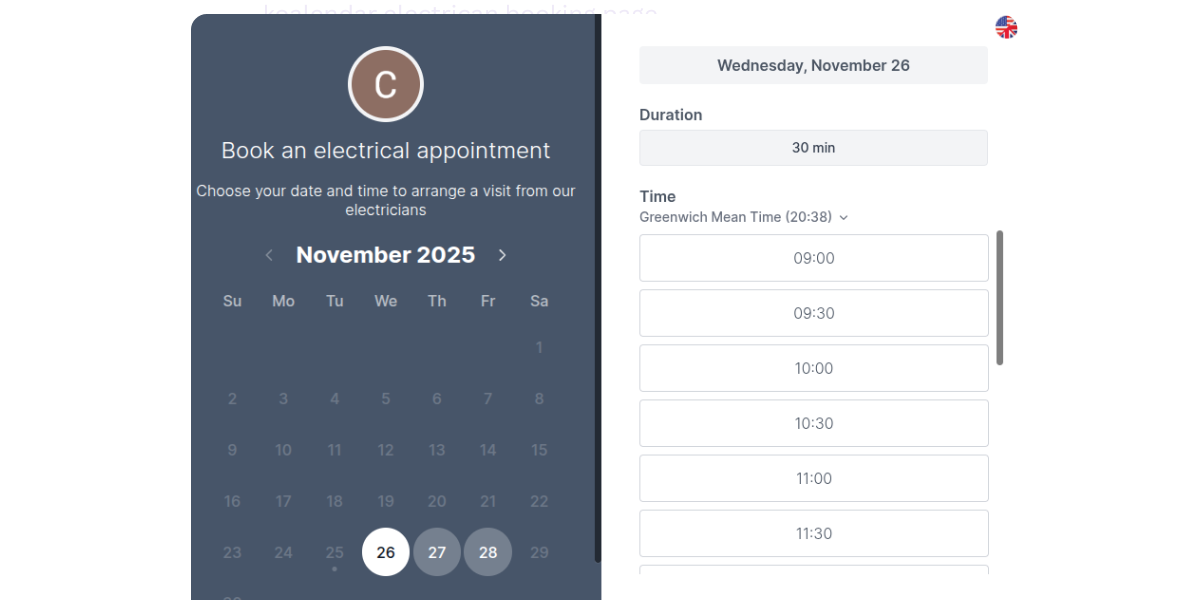
Koalendar is a perfect electrician scheduling software option if you’re an independent electrician who wants to look professional without paying monthly fees. It’s the easiest way to let clients book you while you’re out on a job, replacing back-and-forth texts with a simple link.
- Offers a Free Forever plan with unlimited bookings
- Sends automated reminders to clients to prevent no-shows
- Syncs with Google, Outlook, and Apple calendars to avoid double-bookings
- Collects job details upfront through custom intake forms
- Allows you to collect payments and deposits up front at the time of booking
Pricing: Free Forever plan, Pro plan from $9.99 per month. Discounts available for annual billing.
Jobber (Basic)
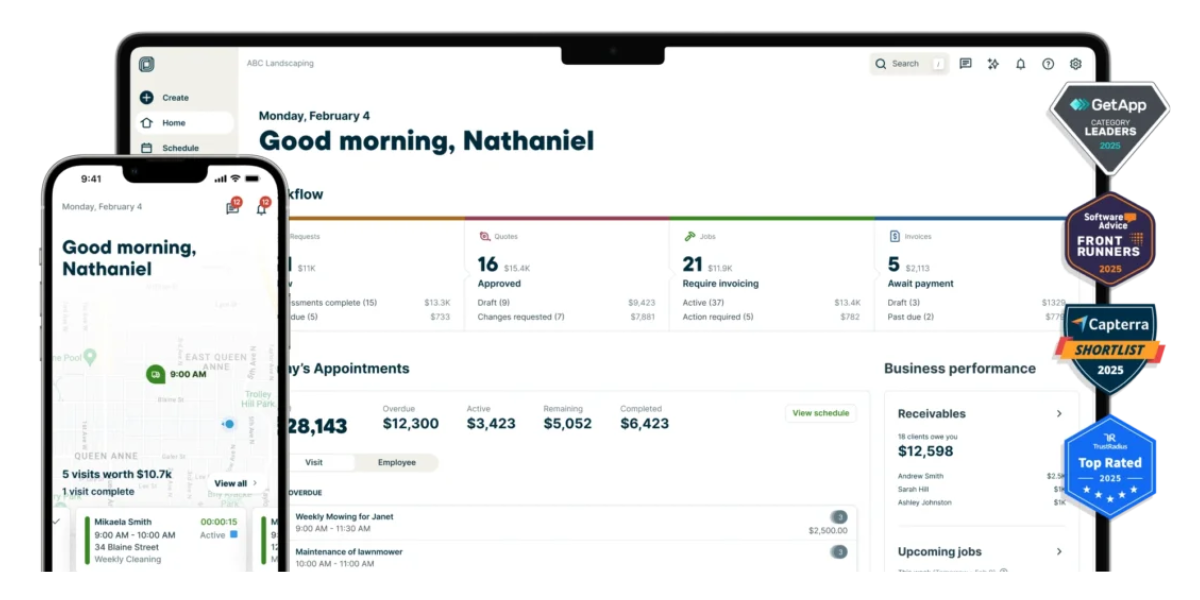
If you are ready to pay for a starter plan and need some additional features, Jobber is a solid choice. It combines basic job management with a smooth invoicing and quoting flow, which is great if you struggle to get estimates out on time.
- Provides simple quoting and invoicing features
- Includes basic customer management (CRM) functions
- Offers a mobile app for managing jobs on the go
Pricing: Free trial available. Plans start at $39 per month for solo users, and $169 per month for teams.
FieldPulse Lite
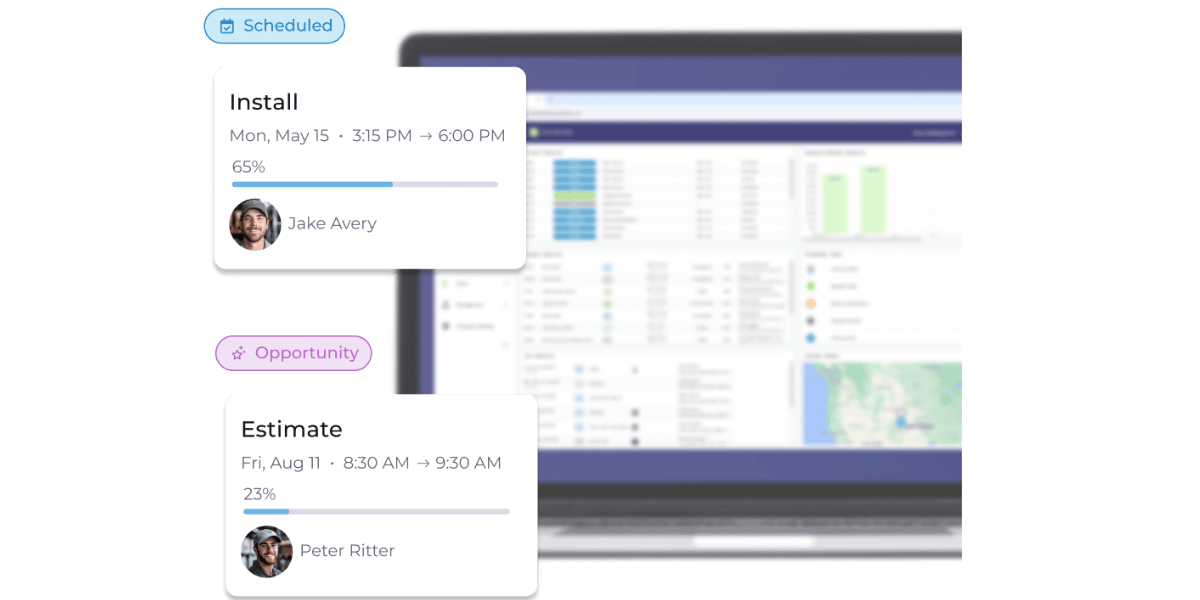
This is a good option if you need specific field service features on a smaller scale. FieldPulse for electricians is designed to help you move from paper to digital without overwhelming you with enterprise features.
- Includes work order management for tracking jobs
- Maintains a digital customer database
- Offers basic dispatching capabilities suitable for solo use
Pricing: No free option or trial. Pricing only available on request.
Here’s a summary of the options for solo electricians:
 |  | FieldPulse Lite | |
| Why it’s good | Low barrier to entry with a Free-forever plan. Free Forever plan. | Good for simple job management and basic invoicing. | Strong field service focus with basic dispatching. |
| Key features | Online booking, free automatic reminders, custom intake forms, payments. | Mobile access, simple invoicing, GPS tracking. | Work order management for tracking jobs, maintains a digital customer database, offers basic dispatching capabilities suitable for solo use |
| Starting price | Strong field service focus with basic dispatching. | Work order management, customer database. | Available on request. |

For small electrical teams (2–10 technicians)
When you’re managing a small crew, your main focus shifts to team scheduling, visibility, and dispatching. You need to know who is where and ensure jobs are distributed fairly.
Koalendar (Pro and Team Plans)
Koalendar scales with you as you hire your first few technicians. It makes it easy to manage availability for the whole team and assign bookings using round-robin scheduling, ensuring you don't double-book anyone.
- Manages availability for multiple team members in one place
- Automatically distributes bookings to available technicians
- Syncs with individual technician calendars to prevent scheduling conflicts
Pricing: From $9.99 per user, per month. Custom quotes available for teams of 10+.
ServiceTitan Essentials
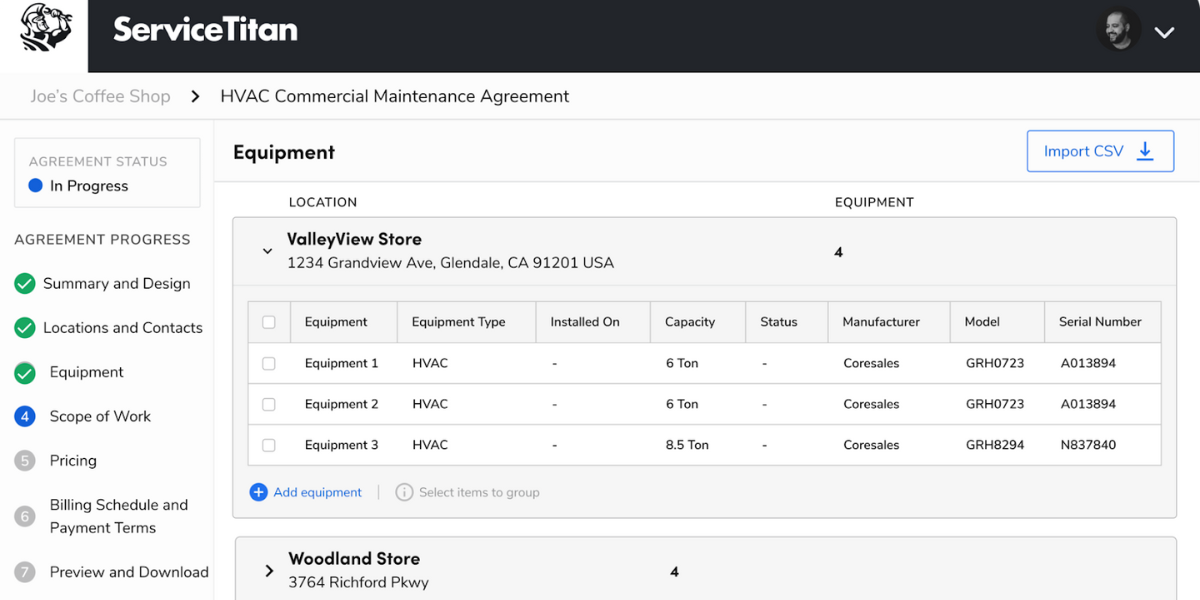
ServiceTitan’s Essentials tier is a robust option for teams needing deeper operational control. It connects your dispatching directly with QuickBooks, helping streamline the financial side of your projects.
- Includes robust dispatching tools for assigning jobs
- Integrates directly with QuickBooks for accounting
- Provides service agreement management
Pricing: No free option or trial. Pricing only available on request.
Housecall Pro
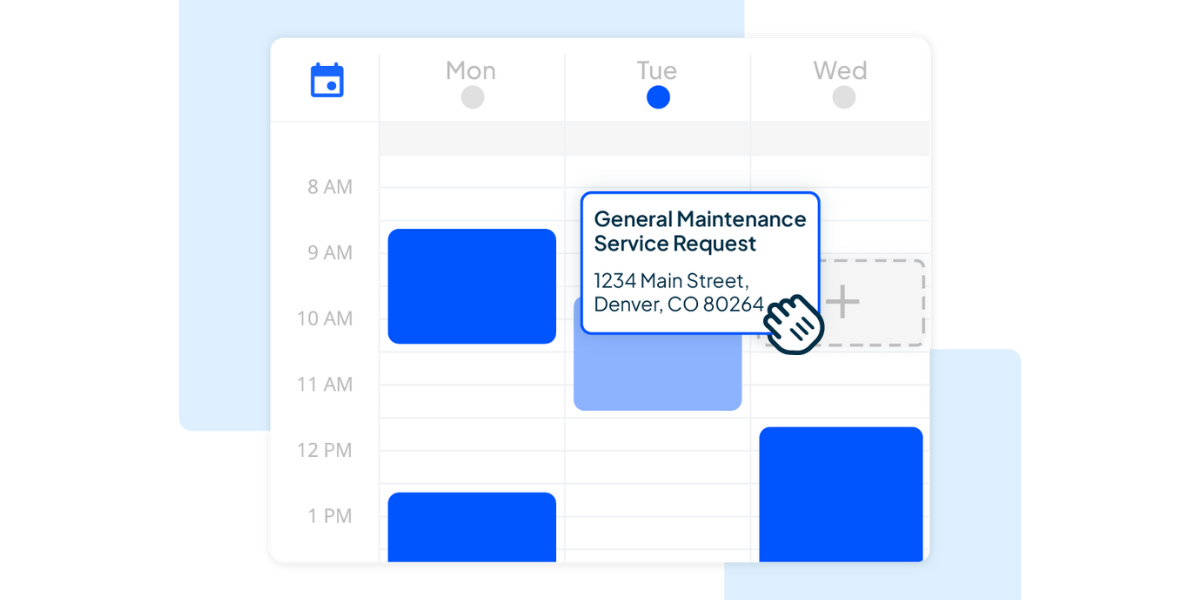
Known for its user-friendly mobile app, Housecall Pro’s Essentials tier helps keep your team connected. It allows for mobile check-ins and includes marketing features to help you keep your team busy during slow periods.
- Drag and drop scheduler to organize your electricians’ schedules
- Includes GPS tracking to see where your crew is
- Offers built-in marketing tools to drive repeat business
Pricing: Free trial available. Essentials plan from $189 (up to 5 users). Max plan from $329 (up to 8 users). Discounts available for annual billing.
Kickserv

Kickserv is a strong option for small electrical teams that need more than simple scheduling but don’t want the weight of enterprise construction software. It focuses on the core field service workflow: managing customers, scheduling jobs, dispatching technicians, sending estimates and invoices, and collecting payments.
- Scheduling and dispatch
- Estimates and invoicing
- GPS tracking
- Customer communication
- Payment tracking
Pricing: Starts at $60/month for 5 users.
| | ServiceTitan Essentials |  | Kickserv | |
| Why it’s good | Offers team scheduling features to assign jobs and manage availability without complexity. | Comprehensive solution for job dispatch and customer management. | Good balance of field service tools and mobile check-ins. | Focuses on the core field service workflow |
| Key features | Round-robin scheduling, team calendar sync. | Dispatching, service agreements, QuickBooks integration. | GPS tracking, technician tracking, marketing tools. | Managing customers, scheduling jobs, dispatching techs, invoicing, payements, GPS tracking |
| Starting price | Pro plans from $6.99 per month | Available on request | Essentials plan from $149 per month | Start plan from $60 per month for 5 users |
For growing or mid-sized electrical businesses (10–50+)
At growth and mid-sized stage, you need advanced reporting, performance tracking, and job costing to maintain profitability as overheads increase.
ServiceM8
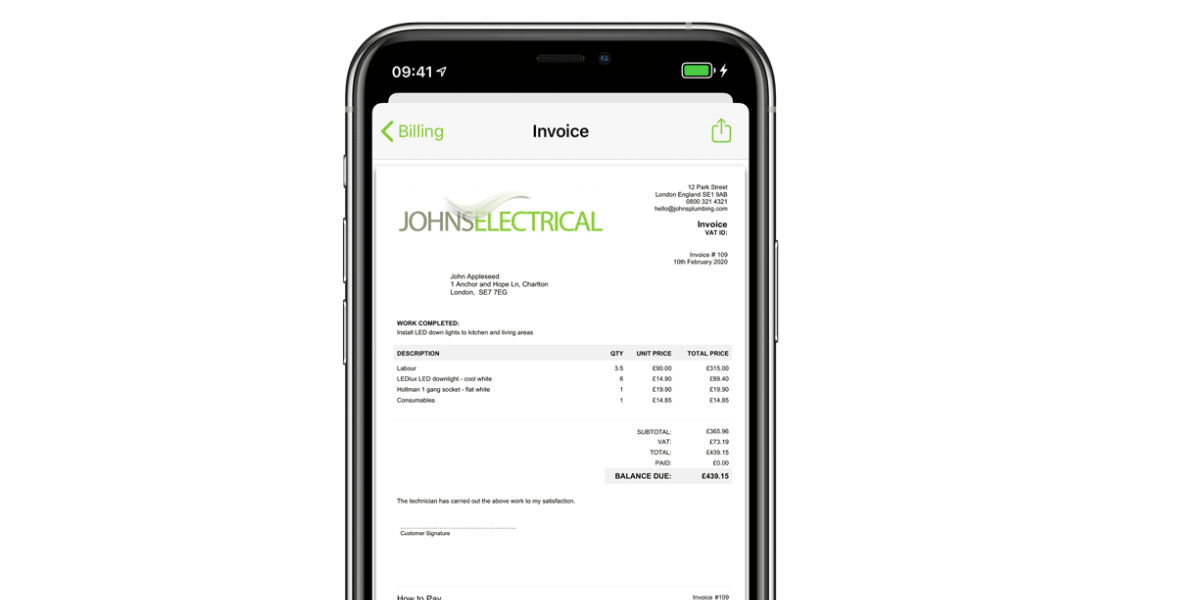
A smart choice for tracking technician performance and managing jobs from quote to invoice. ServiceM8 helps you identify which parts of your workflow are slowing you down.
- Tracks technician performance and efficiency
- Manages the full job lifecycle from quote to invoice
- Provides job costing features
Pricing: Free trial and version available (up to 30 jobs). Starter plan from $29 per month (up to 50 jobs). Growing plan from $79 per month (150 jobs). Premium plan from $149 per month (500 jobs). All plans have unlimited users.
FieldEdge
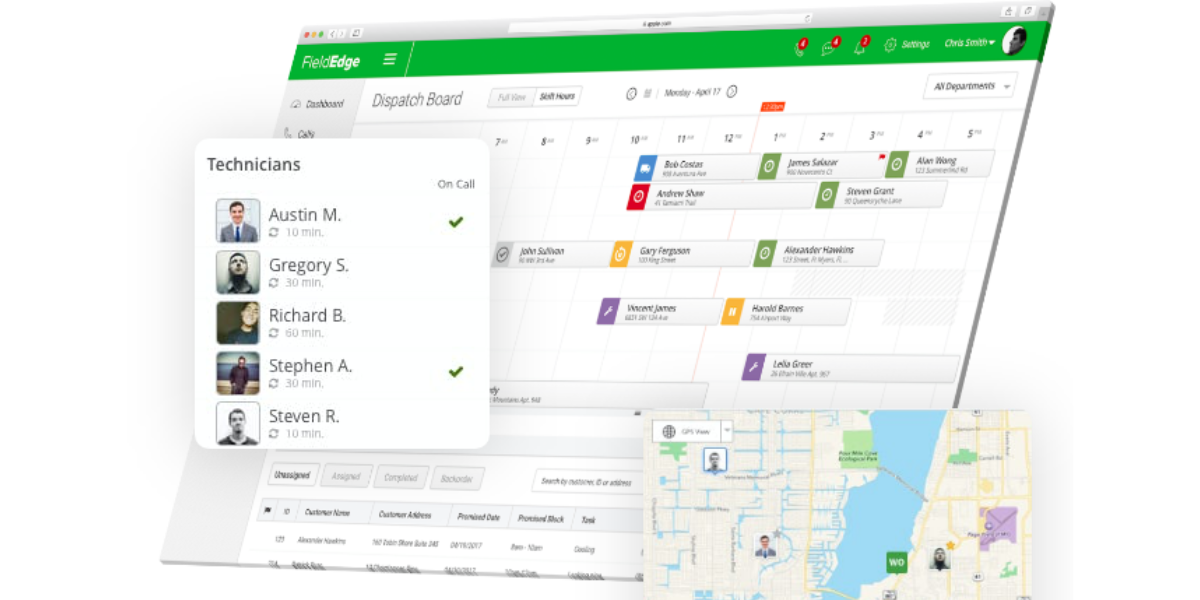
FieldEdge offers strong dispatching capabilities and history tracking. It makes it easier to manage recurring maintenance contracts and service history for long-term clients.
- Offers advanced dispatching for larger fleets
- Tracks detailed customer service history
- Helps manage service agreements and maintenance contracts
Pricing: No free option or trial. Pricing only available on request.
Simpro
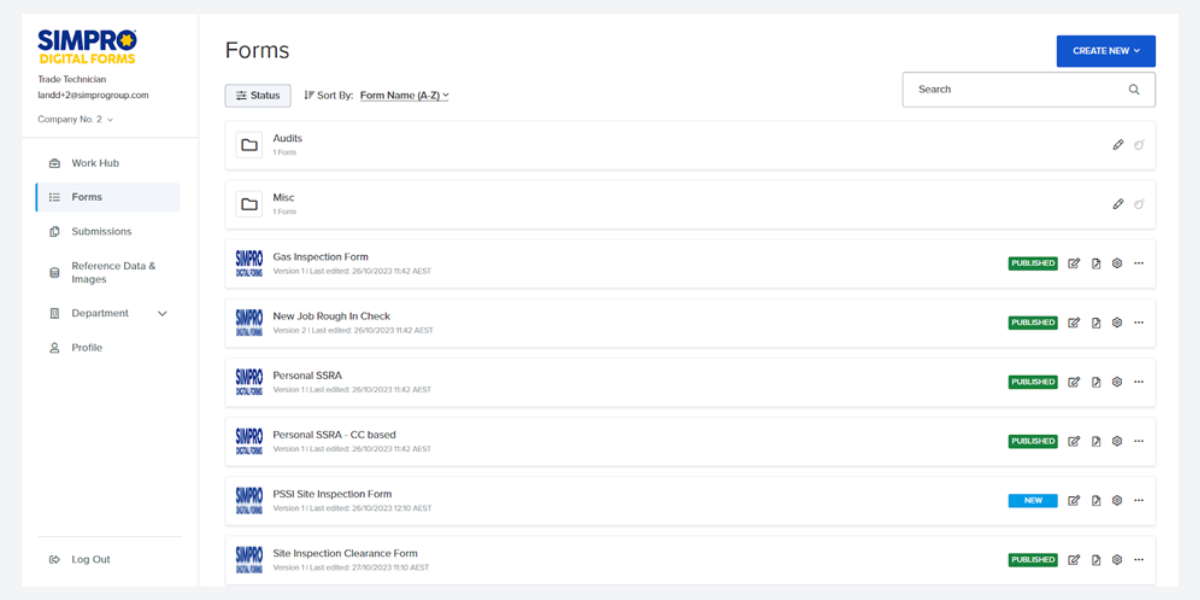
If your work involves complex projects rather than just service calls, Simpro is ideal. It focuses on comprehensive project management and detailed job costing for multi-phase work.
- Specializes in project management for complex jobs
- Provides detailed job costing and estimation
- Supports multi-location operations
Pricing: No free option or trial. Pricing only available on request.
Contractor Foreman
.png?w=2000&fit=max&auto=format)
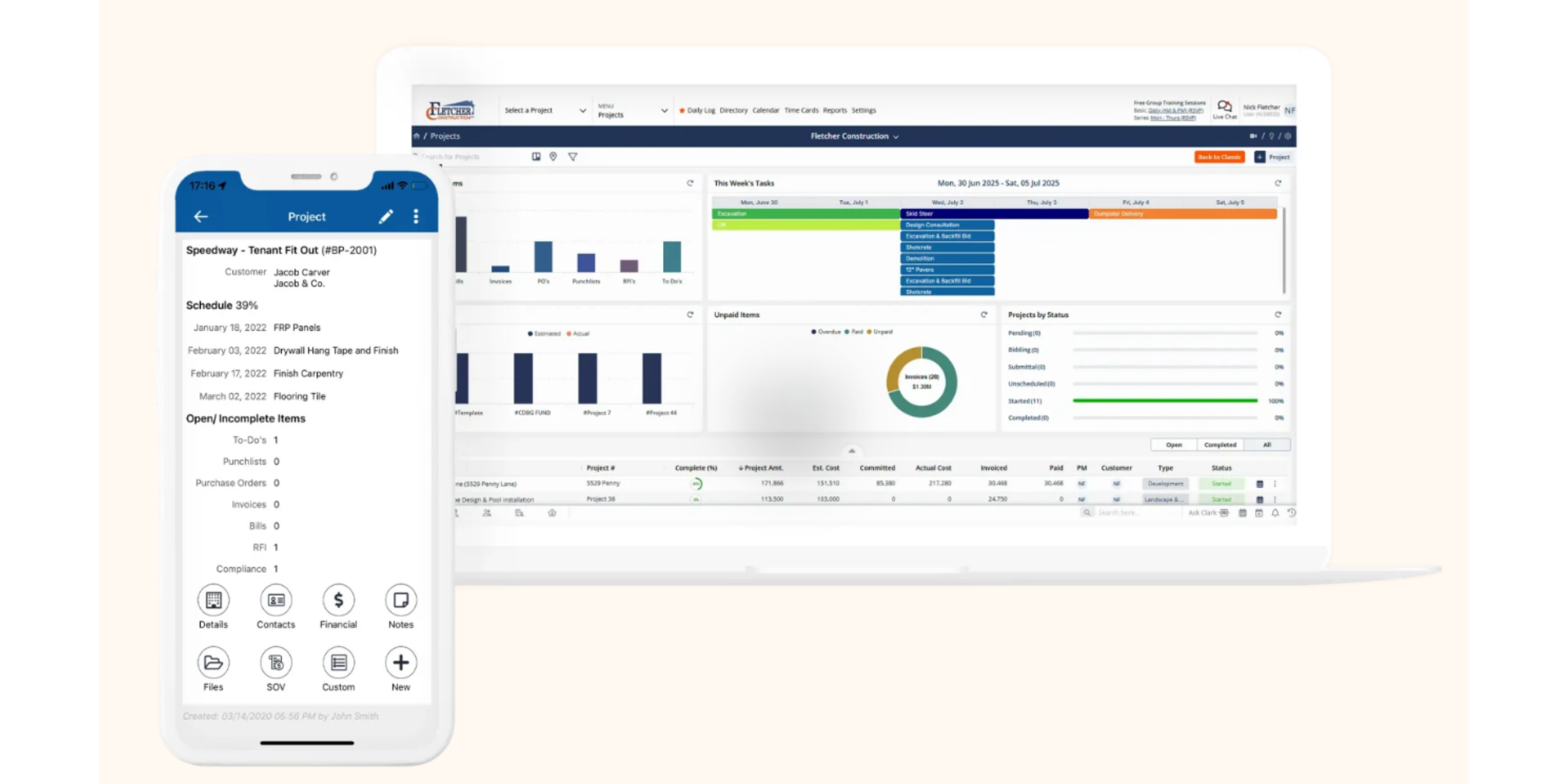
Contractor Foreman is a practical choice for electrical contractors who are moving beyond simple service scheduling and need a broader construction management toolkit.
- Project management
- Financial tracking
- Document management
- Team coordination
- Construction-focused workflows
Pricing: Starts at $49/month.
 | FieldEdge |  | Contractor Foreman | |
| Why it’s good | A smart choice for tracking technician performance and managing the full job lifecycle. | Ideal for recurring maintenance contracts and strong dispatching for a growing fleet. | Best for businesses evolving into complex, multi-phase project management over simple service calls. | All-in-one suite on the cheap |
| Key features | Tracks efficiency, full job lifecycle management, job costing features. | Advanced dispatching, detailed service history, manages service agreements. | Project management, detailed job costing and estimation, multi-location support. | Project management, financials, document handling, and team tools |
| Starting price | $29 per month | Available on request | Available on request | Starts at $49 per month |
For large electrical contracting companies
Enterprise-grade businesses need deep integrations, multiple admin users, and powerful data reporting to manage large-scale operations.
Simpro Enterprise
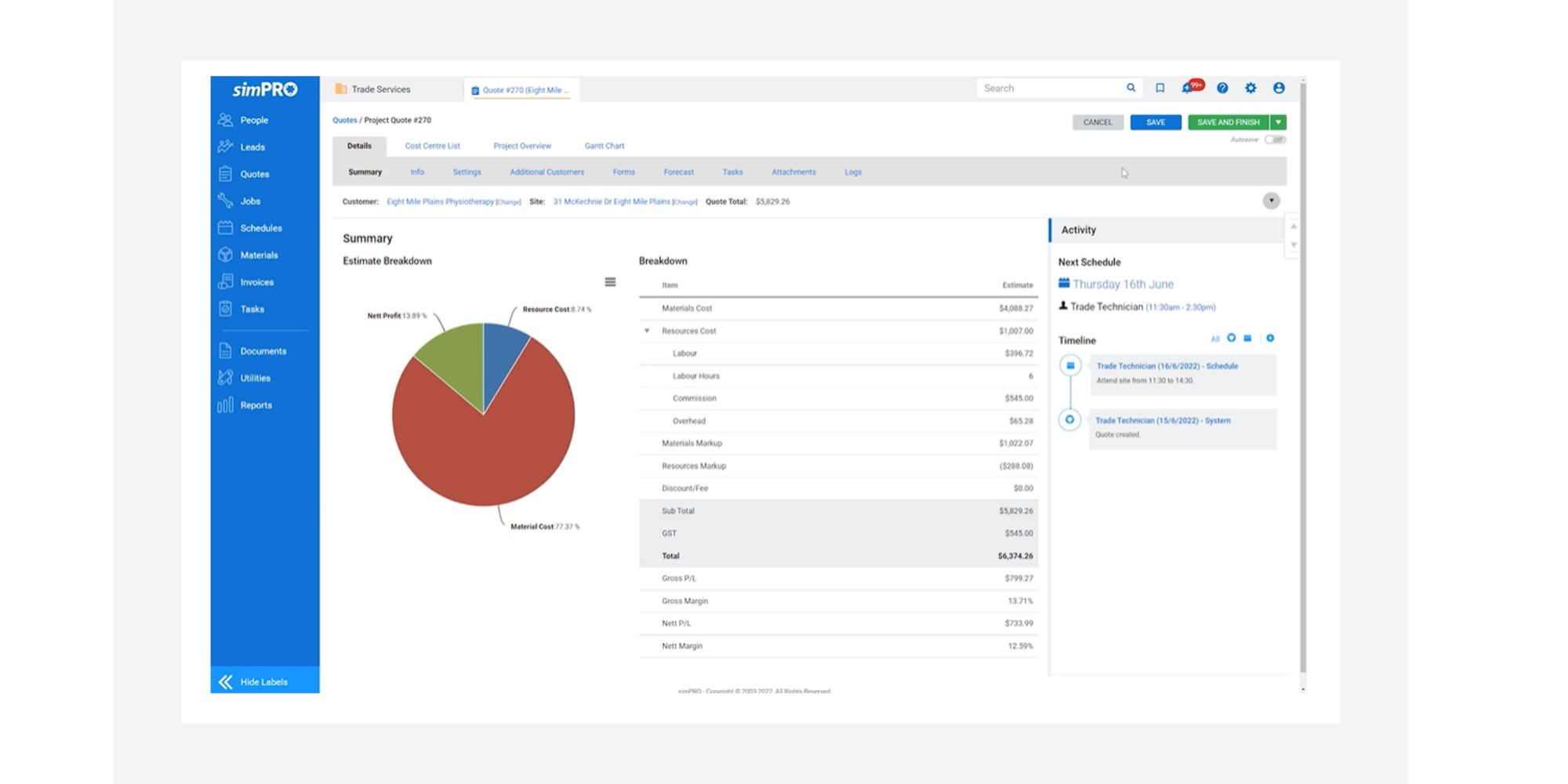
Simpro’s Enterprise tier is ideal for managing complex, multi-phase projects and large inventory needs across different locations.
- Handles complex inventory management
- Provides deep reporting for large-scale projects
- Supports multiple admin users and roles
Pricing: No free option or trial. Pricing only available on request.
ServiceTitan Pro
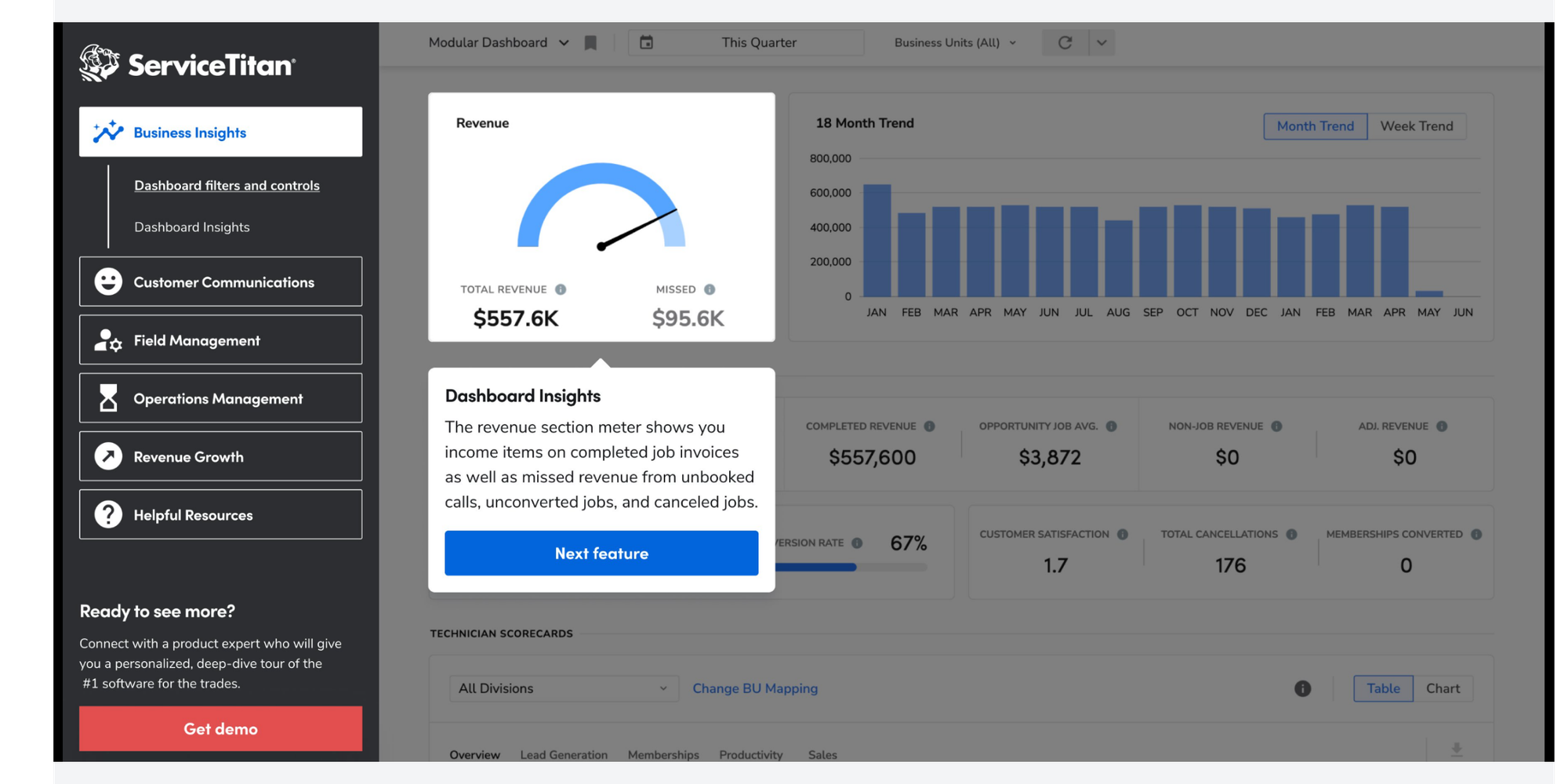
ServiceTitan Pro is the heavyweight contender for large operations. It offers advanced reporting, marketing automation, and a complete CRM system to manage thousands of clients.
- Includes enterprise-grade reporting and analytics
- Features advanced marketing automation tools
- Offers a comprehensive CRM for large client bases
- AI-powered end-to-end automation for your jobs
Pricing: No free option or trial. Pricing only available on request.
BuildOps
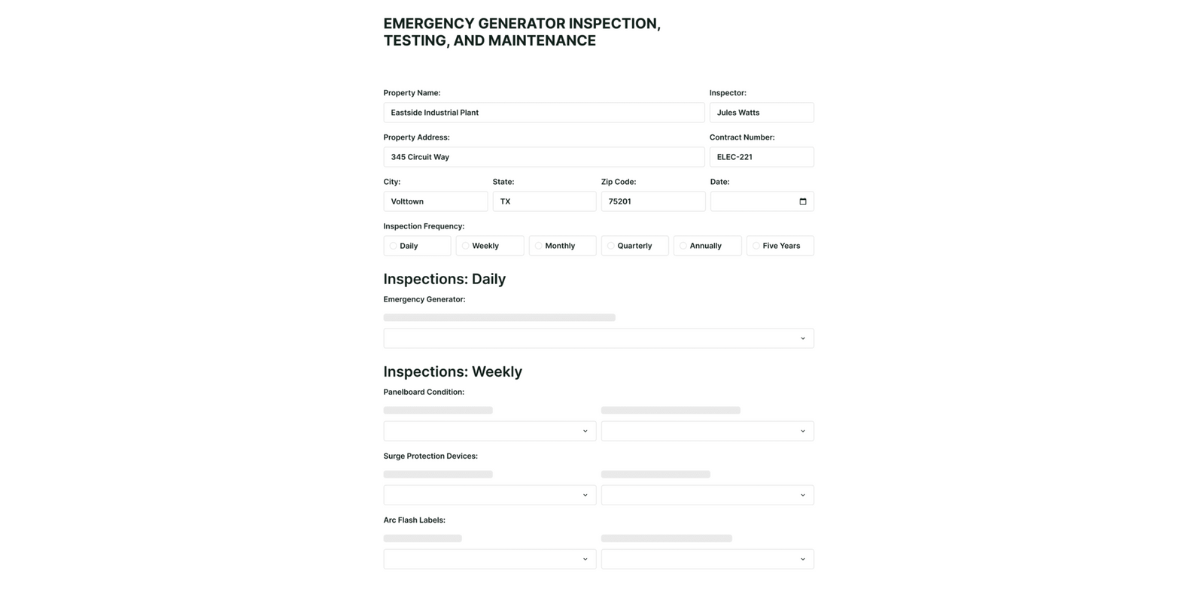
Designed specifically for commercial contractors, BuildOps connects your office and field teams seamlessly for large-scale commercial construction and service work.
- Focuses specifically on commercial electrical workflows
- Connects field and office teams for large construction projects
- Provides deep integrations with enterprise systems
Pricing: No free option or trial. Pricing only available on request.
Autodesk Construction Cloud
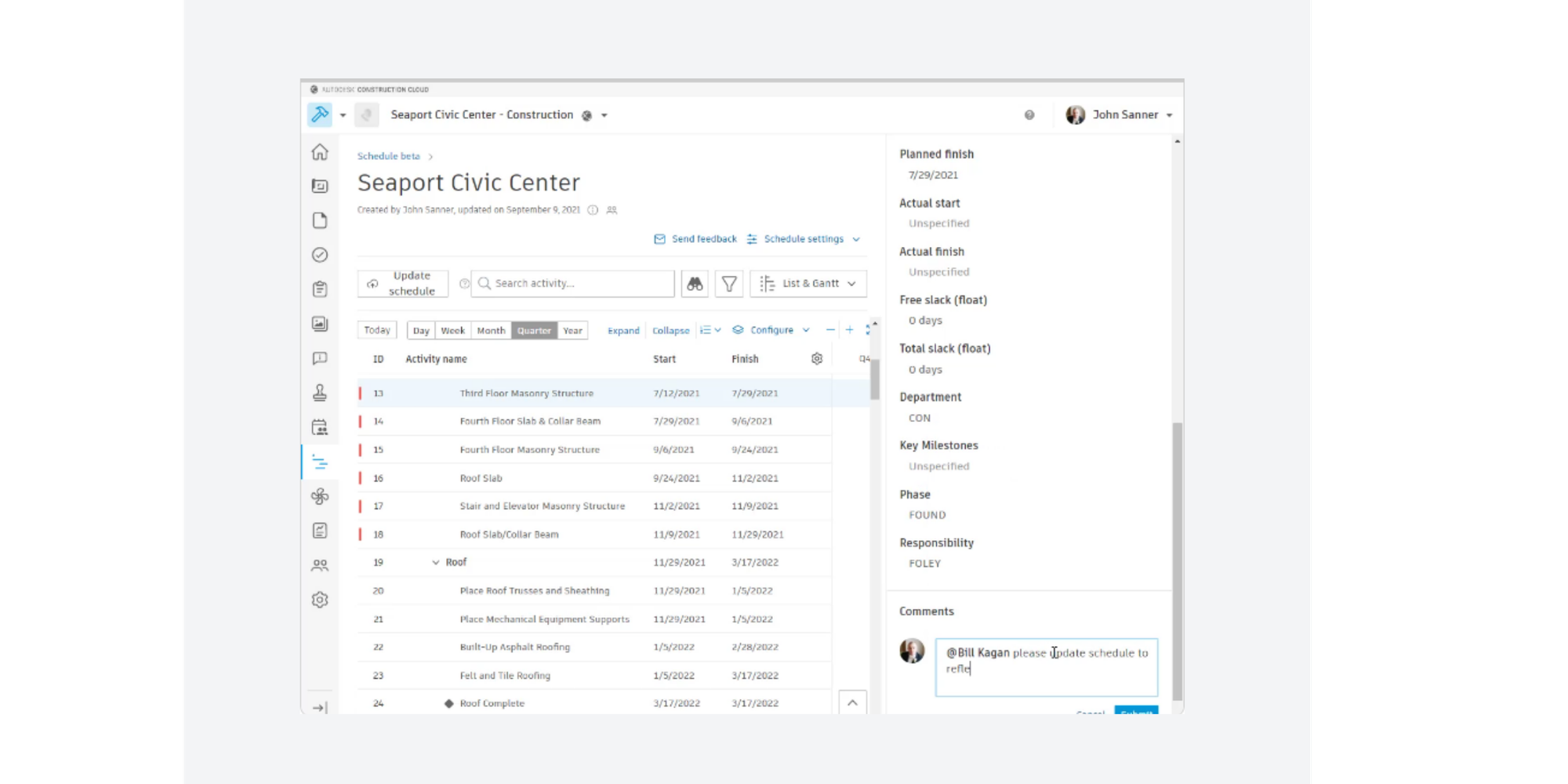
Autodesk Construction Cloud is built for large, complex projects where field teams, office staff, and stakeholders all need access to the same information. For electrical contractors, it makes the most sense when you’re managing commercial projects, documentation, collaboration, and reporting across multiple teams or project phases.
- Connected project data
- Field and project management tools
- Documentation and collaboration workflows
- Strong fit for multi-team projects
Pricing: Available on request.
Procore

Procore helps contractors manage crews, track costs, and streamline work in one platform. It’s a better fit for large operations and project-driven businesses than for solo electricians or very small service teams.
- Crew and cost management
- Field-to-office visibility
- Project controls and coordination
- Estimating and takeoff options through Procore’s wider platform
Pricing: Available on request
| Simpro Enterprise | ServiceTitan Pro |  | Autodesk Construction Cloud | Procore | |
| Why it’s good | Ideal for managing complex, multi-phase projects and inventory across locations. | The heavyweight for operations needing marketing automation and deep CRM tools. | Designed specifically for commercial contractors and large-scale construction. | Strong fit for multi-team projects, managing documentation, collaboration, and reporting across multiple teams or project phases | Strong option for commercial electrical contractors that need real-time visibility across the field and office |
| Key features | Inventory management, deep reporting, multiple admin roles. | Enterprise analytics, marketing automation, comprehensive CRM. | Commercial workflows, field-to-office connection, enterprise integrations. | Connected project data Field and project management tools Documentation and collaboration workflows | Crew and cost management, Field-to-office visibility, Project controls and coordination |
| Starting price | Available on request | Available on request | Available on request | Available on request | Available on request |
Electrical software summary comparison table
Need to make a quick decision? Here’s a helpful summary of our top picks depending on your electrical company’s size.
| | ServiceTitan Essentials | | Simpro Enterprise | |
| Best for | Solo and small teams | Growing/Large Teams | Mid-Sized | Large contracting companies |
| Key strengths | Free plan, ease of use, online booking, payments and reminders. | Advanced reporting and dispatch. | Job management and tracking. | Inventory management and reporting. |
| Starting price | Free Forever | Available on request | $29 per month | Available on request |
Best electrical contractor software by software type
Not every electrical business needs the same kind of tool.
Some electricians mainly need a faster way to book jobs and avoid double-bookings. Others need deeper project controls, estimating, or a better way to manage customer relationships across a bigger team.
That’s why it helps to break electrical contractor software into categories before choosing a platform.
Field service management software
Field service management software is built for day-to-day service work. It usually covers scheduling, dispatching, invoicing, technician updates, and customer records in one place.
This is often the best fit for electricians handling service calls, maintenance, repairs, and smaller installation jobs.
Best fit for: solo electricians, small teams, and growing service businesses
Common features:
- Job scheduling and dispatch
- Mobile app for technicians
- Estimates and invoices
- Customer history
- Payments and reminders
Top tools in this category:
Kickserv
Kickserv is a field service management platform designed for home and service businesses. On its electrician page, it highlights scheduling, estimating, invoicing, payment tracking, GPS tracking, and customer updates, which makes it a strong option for electrical service teams that want one system for the full job flow. Its main site also lists plans starting at $60/month for 5 users.
Why it stands out
- Built around service scheduling and dispatch
- Includes estimates, invoices, and payments
- GPS tracking helps you keep customers updated
- Better fit for service-based work than complex construction projects
Jobber
Jobber works well for electricians who want a straightforward mix of scheduling, quoting, invoicing, and basic CRM tools. It’s especially useful if you want to tighten up admin without moving into heavy construction software.
Housecall Pro
Housecall Pro is a good fit for teams that want an easy-to-use scheduler, mobile visibility, and built-in tools to help drive repeat work.
ServiceM8
ServiceM8 is a solid option for businesses that want to manage the full job lifecycle, from quote to invoice, while keeping technician activity visible.
Project management / construction software
This category is built for more complex electrical work, especially when you’re coordinating larger projects, multiple stakeholders, documentation, budgets, and field-to-office collaboration.
If your business is doing commercial installs, multi-phase jobs, or subcontracting on construction projects, this is usually where you should look.
Best fit for: growing contractors, commercial teams, and large electrical businesses
Common features:
- Project documentation
- Cost tracking and reporting
- Submittals and RFIs
- Team collaboration across field and office
- Multi-phase project oversight
Top tools in this category:
Contractor Foreman
Contractor Foreman positions itself as an all-in-one construction management suite with project management, financials, documents, and team tools in one platform. It also promotes pricing starting at $49/month, making it one of the more accessible construction-focused options for contractors who want more than basic scheduling.
Why it stands out
- Good bridge between simple FSM tools and heavy enterprise platforms
- Strong mix of project management and financial tracking
- More affordable entry point than many construction platforms
- Better suited to contractors managing jobs, teams, and documents together
Autodesk Construction Cloud
Autodesk Construction Cloud is built as a connected construction management platform and describes itself as a “single source of truth” for project teams. For electrical contractors, it’s best suited to businesses that need secure collaboration, project visibility, and stronger coordination across larger builds. Autodesk also offers ProEst for cloud-based estimating and digital takeoffs, which is useful if you want estimating within the same ecosystem.
Why it stands out
- Strong fit for larger commercial and specialty contractor workflows
- Useful for documentation-heavy projects
- Ideal when multiple teams need one connected system
- Stronger on project collaboration than simple service scheduling
Procore
Procore’s electrical contractor software page says it helps electrical contractors manage crews, track costs, and streamline work in one platform. It’s a well-known construction management option for commercial and larger-scale operations that need strong field-office visibility and project controls. Procore also offers estimating and takeoff tools for preconstruction workflows.
Why it stands out
- Built for serious project coordination
- Strong field-to-office visibility
- Good fit for commercial electrical contractors
- Better for complex operations than small service teams
Simpro
Simpro remains one of the strongest options for electrical businesses moving beyond service calls into more complex projects, job costing, and multi-location operations.
Estimating & takeoff software
If quoting speed and accuracy are a pain point, this is the category to watch.
Estimating and takeoff software helps electrical contractors build more accurate bids, calculate materials and labour, and reduce the risk of underpricing jobs.
Best fit for: project-based electricians, estimators, and commercial contractors
Common features:
- Digital takeoffs
- Cost estimating
- Proposal generation
- Bid comparisons
- Margin protection
Tools to consider:
- Autodesk ProEst for cloud-based estimating and digital takeoffs within the Autodesk ecosystem.
- Procore Estimating for teams that want takeoff and estimating tied into a broader construction workflow.
- Simpro for electrical contractors that need estimating closely tied to job costing and project delivery
- Contractor Foreman if you want lighter-weight estimating inside a broader contractor management platform, including takeoff-related workflows.
Customer communication & CRM
Some tools are stronger at keeping customer details, communications, approvals, and follow-ups organized.
This matters a lot if your business relies on repeat work, service agreements, or fast responses to incoming leads.
Best fit for: service electricians, maintenance businesses, and teams focused on repeat customers
Common features:
- Customer records
- Quote follow-up
- Job notes and history
- Automated reminders
- Team visibility into conversations
Top tools in this category:
- Jobber for basic CRM and quoting
- Kickserv for managing customers, communication, jobs, and payments in one place.
- ServiceTitan Pro for larger businesses that want a more advanced CRM layer
Scheduling tools
Sometimes you don’t need a heavy all-in-one platform right away. You just need to stop missing bookings, reduce admin, and make it easier for customers to get on the calendar.
That’s where scheduling tools come in.
Best fit for: solo electricians, small teams, and businesses that want to fix scheduling first
Common features:
- Online booking
- Calendar sync
- Automated reminders
- Intake forms
- Deposits and prepayments
Top tools in this category:
Koalendar
Koalendar is the best fit when your biggest headache is getting jobs booked without endless messages, missed calls, or manual scheduling. It’s especially useful for solo electricians and small teams that want a professional booking experience without the overhead of a full FSM system.
Why it stands out
- Free Forever plan with unlimited bookings
- Calendar sync with Google, Outlook, and Apple
- Automated reminders to reduce no-shows
- Custom intake forms to collect job details before the visit
- Payments and deposits at the time of booking
For many electricians, this is the smartest place to start. You can fix scheduling first, then add more advanced tools later if your business needs them.
How to choose the best electrical contractor software
The best electrical contractor software isn’t always the one with the longest feature list. It’s the one that solves the biggest problem in your business right now.
For some electricians, that problem is missed calls and too much time spent booking jobs. For others, it’s dispatching technicians, tracking project costs, or keeping customer communication organized.
Here’s a simple way to choose the right fit.
1. Start with your biggest bottleneck
Ask yourself what’s slowing you down most.
Is it:
- Too many calls and messages just to schedule a visit?
- Double-bookings and calendar chaos?
- Chasing job details before the team arrives?
- Weak visibility over where technicians are?
- Complex quoting and job costing?
If your main problem is booking and calendar admin, a scheduling tool like Koalendar may be enough.
If your main problem is dispatch, invoicing, and field operations, a field service management tool may be the better fit.
If you’re running larger commercial projects, you’ll likely need project management / construction software instead.
2. Choose software that matches your job type
There’s a big difference between:
- A solo electrician doing residential service calls
- A small team handling repairs and installations
- A commercial contractor running multi-phase builds
Service businesses usually need speed, scheduling, and communication.
Project-driven businesses usually need documentation, collaboration, cost controls, and reporting.
That’s why tools like Kickserv and Jobber make more sense for service-heavy operations, while tools like Procore, Autodesk Construction Cloud, and Contractor Foreman are more relevant for project-heavy electrical contracting.
3. Don’t overbuy too early
This is where a lot of electricians get stuck.
It’s easy to sign up for a giant platform packed with features you won’t use for another year. But more software doesn’t always mean better results. Sometimes it just means more setup, more training, and more friction.
If you’re small, start with the tool that fixes the pain you feel every day:
- Better scheduling
- Fewer no-shows
- Cleaner intake
- Easier team visibility
You can always layer in more systems as you grow.
4. Check the mobile experience
Your team won’t be sitting behind a desk all day.
They need to check schedules, update job status, read notes, and communicate from the van or onsite. If the mobile experience is clunky, adoption will suffer fast.
That’s especially important for field service software and team scheduling tools.
5. Look at the full workflow, not just one feature
A tool might have a great scheduler, but what happens after the booking?
Can it:
- Collect job details in advance?
- Send reminders?
- Help assign the right tech?
- Connect to invoicing or payments?
- Keep customer history easy to find?
The more naturally the tool fits your workflow, the more value you’ll get from it.
6. Think about what your business will look like in 12 months
You don’t need enterprise software today just because you want to grow.
But you do want a tool that won’t break as soon as you hire your second or third technician.
That’s why many electricians start with Koalendar for scheduling, then expand into broader operations software only when the business actually needs it.
7. Test for ease of use
This matters more than most comparison tables admit.
If the system is hard to learn, your team won’t use it properly. And if no one uses it properly, it won’t solve anything.
The right software should feel like a relief, not another job.
How to implement the software and get results
Once you've picked a tool, the goal is to get it running without disrupting your work. Here are some top tips to help you set up your software.
Onboarding your team or going solo
The key to a smooth start is adopting a tool that truly saves time, not one that adds complexity.
- For solo operators: Start by syncing your calendar (Google, Outlook, iCal) and setting up your online booking page. Personalize it with your logo and a friendly photo to look professional. Make sure to test the booking link yourself before sharing it with clients.
- For teams: Involve your technicians early! The biggest win is showing them how the software simplifies their lives. Train them on the platform and show them how it helps them avoid complex office admin.
- Import your client data: Don't lose valuable client history. Take the time to import your existing customers into the software’s platform, and let your clients know you’re using a new (easier for them) system to manage your business.
Avoiding common deployment mistakes
Many businesses fail by trying to change everything at once. Take a gradual, phased approach.
- Don't try the "all-at-once" trap: Switching from paper to digital invoicing, dispatching, and scheduling on the same day is a recipe for chaos. Roll out the changes in stages to avoid issues.
- Master one feature first: Start with the basics, like using a tool (such as Koalendar) just for new client bookings and automated reminders. Once that’s stable and your team is comfortable, layer in features like job photos, time tracking, or complex invoicing.
- Keep it simple: Focus on the features that immediately solve your biggest pain points (like double-bookings or no-shows) before adding non-essential customizations.
Tracking KPIs and measuring workflow improvement
How do you know the new software is actually working and saving you money? You need to track key metrics that focus on time and cash flow.
- Track your admin time saved: Measure the number of hours per week you or your office manager spend on scheduling calls and manual data entry; this number should drop dramatically.
- Monitor your no-show rate: This is critical for revenue. With automated reminders, your rate of missed appointments should approach zero, representing money saved on wasted trips.
- Measure payment speed (cash flow): If your software allows for on-site invoicing or payment processing, track the average time between "job finished" and "payment received." A quicker turnaround is a massive win for cash flow.
- Improve your first-time fix rate (FTFR): When your software collects good job details upfront (via custom intake forms), your technicians are better prepared, leading to more successful, one-visit jobs and better client satisfaction.
The next step for your electrical business: reduce the admin
You’ve got this! Choosing the right electrical contractor software doesn't have to be overwhelming. You've seen how inefficiency adds up quickly: one study showed that electrical contractors typically lose 1 to 2 hours of paid time per worker each week due to poor scheduling. That’s an estimated $7,800 annually per employee you can save with the right solution.
The best way to decide if a tool works for your business (whether you’re a solo contractor or managing a small team) is to test it without commitment.
Koalendar offers a powerful Free Forever plan that instantly solves your biggest scheduling problems. Whether you need a simple way to let customers book online or a more advanced platform to manage crews, estimates, and projects, the best electrical contractor software is the one that removes friction from your day. For many electricians, that starts with scheduling. And that’s exactly where Koalendar shines.
Ready to reclaim your time? Stop worrying about manual admin and focus entirely on the electrical work that pays. Take the first step toward a smoother schedule today and try Koalendar for free.